Disclosure: Gifted by Loftie. All opinions are my own, and nobody has seen this review before you have.
There is a particular kind of purchase that sits in your basket for weeks. Not because you can’t afford it, exactly, but because you cannot quite justify spending the better part of £200 on something that tells you the time.
The Loftie Clock is one of those. And after four weeks of living with it, here is the honest answer to whether it earns its place on a bedside table.
Short version: yes, mostly. It is one of the most beautiful objects in my house and it has genuinely got my phone off the nightstand. But the setup was not what was promised, the nightlight is fainter than I expected, and there is a real irony in a device designed to reduce your phone use that requires an app to work properly.
Here’s everything, including the bits Loftie would probably rather nobody mentioned.
What the Loftie Clock actually is
The Loftie is a bedside alarm clock and sound machine designed to replace your phone in the bedroom. It wakes you in two stages rather than one, plays a library of over a hundred sounds including white and brown noise, works as a Bluetooth speaker, and has a small warm nightlight in the base.
The whole premise rests on a single idea: your phone is a terrible alarm clock, because picking it up to silence an alarm means you have checked your email before your feet have touched the floor. Give the job to a dedicated object, and the phone can charge in the kitchen where it belongs.
The setup: not the plug-and-play I expected
Let’s start with the disappointment, because it was the first thing that happened.
My assumption, reasonably I think, was that a clock would be a clock. Take it out of the box, plug it in, set the time, go to bed.
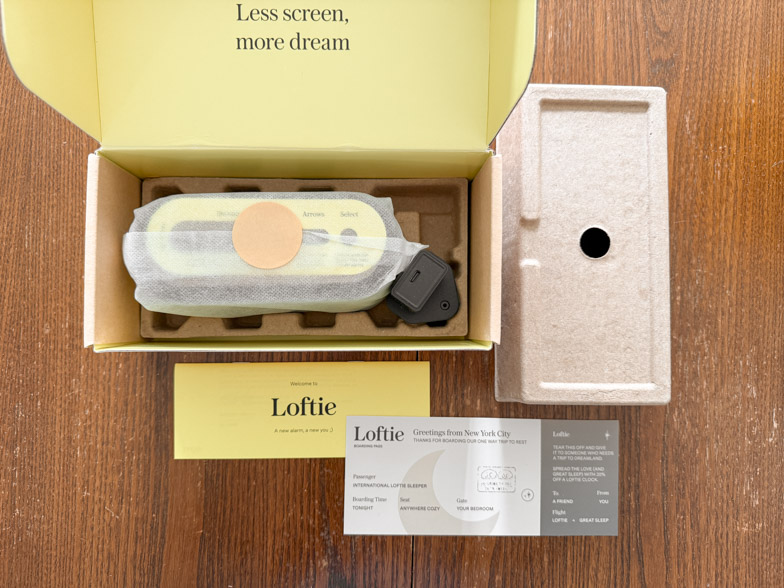
That is not how it went. Setting up the Loftie means downloading an app, creating an account, connecting the clock to Wi-Fi and then waiting while it downloads a firmware update and its content library. Loftie’s own guidance suggests allowing between thirty minutes and an hour. Other reviewers have reported around twenty minutes of waiting while the software updates itself.
There is a very specific frustration in this. My general position on household devices is that anything used daily should not require an app. A kettle should not need an app. A lamp should not need an app. And an alarm clock, of all things, sold on the promise of getting your phone out of the bedroom, absolutely should not need an app.
The one genuine use case for the app, and it is a good one, is changing tomorrow’s alarm while you are out. If you are at dinner and remember you need to be up an hour earlier, being able to fix that from your phone before you forget is legitimately useful. Beyond that, it feels like friction that shouldn’t be there.
If the Wi-Fi setup fails
Worth knowing before you start: the Loftie connects to 2.4GHz Wi-Fi only. Most modern routers broadcast 2.4GHz and 5GHz under a single network name, which is the most common reason setup sometimes fails.
Two fixes (I Googled this part, and I only half understand what it’s talking about). Either log into your router and temporarily split the two bands so the 2.4GHz network has its own name, or set up a mobile hotspot on your phone with 2.4GHz enabled, complete the setup and updates through that, then switch the clock over to your home network afterwards.
And here is the good news that nobody mentions: once setup is done, you can put the clock into Offline Mode through the settings menu and it will keep working perfectly. Alarms, sounds, nightlight, all of it. You lose new content downloads and app control, but the clock itself becomes exactly the self-contained object you wanted in the first place.

The design: genuinely like living with a small sculpture
Now the part where my objections dissolve slightly.
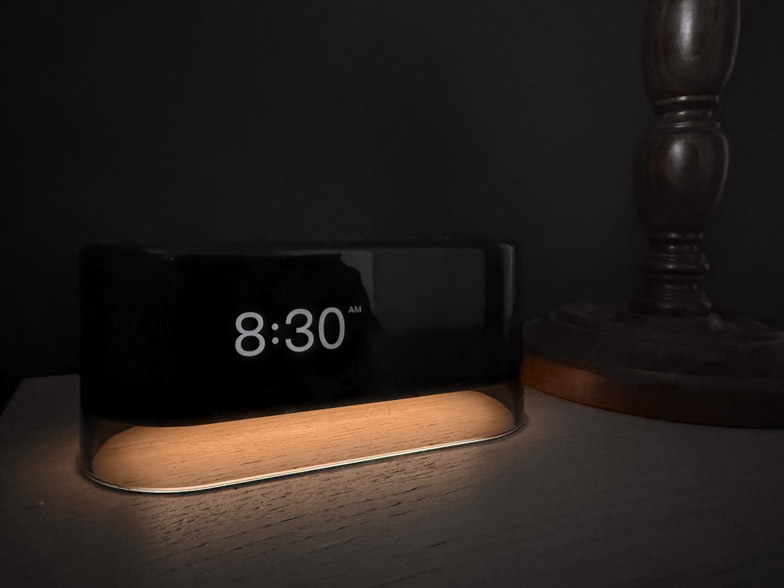
The Loftie is beautiful. Not “nice for a gadget” beautiful. Properly, look-at-it-in-the-morning beautiful. Mine is the black colourway, which has a warm gold-toned top, and it looks like something you’d find in a good hotel rather than something ordered from a sleep tech brand.
Regular readers know how much I love my Lumie Bodyclock Spark 100, and that affection has not gone anywhere. But there is no contest on looks. The Lumie is a functional lamp that happens to live in a bedroom. The Loftie looks like it was designed for the bedroom first and given a job second.
That distinction matters more than it sounds. Most sleep technology is aggressively ugly: white plastic, blue LEDs, glowing red digits that turn the ceiling pink at three in the morning. The Loftie has a soft dimmable display, a Red Mode for lower blue light, and a full blackout mode that leaves absolutely nothing glowing.
This is the everyday luxury argument in miniature. You are not buying a clock. You are buying the visual quiet of a bedside table that doesn’t have a phone, a charging cable and a glowing rectangle on it.
The nightlight is fainter than you’d think
Here is a criticism that turns out not to be just me.
My expectation was a proper little nightlight, enough to find a glass of water or check on a child without turning on the main light. What you actually get is a very soft glow from the base, warm and lovely to look at, but too dim to be useful for much.
Whether that is a flaw depends entirely on what you want. As a bedside lamp, it fails. As a soft orientation glow that will not wake your partner or wreck your melatonin, it does exactly what it was designed to do. My honest read is that Loftie made a deliberate sleep-hygiene decision and their marketing photography oversells it slightly.
The light can be adjusted in brightness. But I feel like at it’s brightest, it’s far too dim.
The two-phase alarm, and whether the science holds up
This is the feature Loftie is actually built around.
Instead of one alarm, you get two. The first, the Wake-Up tone, plays a soft ambient sound that fades out after about thirty seconds. Then nothing. Then three, six or nine minutes later, depending on what you’ve set, the Get-Up alarm plays a more definite melody that keeps going until you deal with it.
The idea is that the first tone lifts you out of deep sleep gently, so the second one is landing on a brain that is already halfway up rather than yanking you out of slow-wave sleep.
Four weeks in, my experience is that this works, with a caveat. The gentle first tone often doesn’t wake me at all, which several other owners report too. What it does seem to do is make the second alarm feel considerably less brutal. Mornings feel less like being startled and more like being told.
Does it actually work, scientifically speaking? Sort of. There’s a 2020 study where people who woke up to melodic tones felt less groggy than the beeping-alarm crowd, and a follow-up found they were sharper and quicker on the uptake afterwards too. Encouraging stuff, but we’re talking about twenty to fifty people in each study, so I’d call it a good sign rather than solid proof.
Snoozing turns out to be a bit more of a hot topic than I expected. One study that followed people who snooze regularly found it costs you about six minutes of sleep, but it also stops you being yanked out of deep sleep, and it didn’t seem to leave anyone crankier or foggier the next morning. Then a much bigger study came along in 2025, looking at over three million nights of data, and found that more than half of us end our alarms with a snooze, hitting it roughly two and a half times for about eleven minutes on average. That team was noticeably less relaxed about it.
So where does that leave us? Snoozing probably isn’t the sleep sin it’s been made out to be, but getting jolted awake again and again clearly isn’t great either. Which is exactly the problem Loftie is trying to solve with its gentler approach.
Something to note about the alarm. It doesn’t turn off. As a mother of 2 young children, sometimes I’m up well before I intend to be. The other morning I was up and out of the house before the alarm went off. I came home and it was still going, 45 minutes after the time it was set for.
The sound machine is the part I actually use most
Honestly? If the alarm disappeared tomorrow, the sound machine would keep this thing on my bedside table.
Over a hundred sounds come included, with no subscription required, and Loftie adds more over time. There are nature soundscapes, sound baths, breathwork exercises, guided meditations, bedtime stories and classical music. You can set a sleep timer so audio fades out after a set period rather than running all night, which is the detail that turned it from a novelty into something used every evening.
And then there are the noise colours, which were a genuine education.
Most of us know white noise: every frequency at roughly equal power, which produces that bright hissy static sound. Pink noise dials down the higher frequencies, so it sounds softer and rounder, closer to steady rain. Brown noise drops the high end more steeply again, giving you a deep, bass-heavy rumble like a waterfall or heavy rain on a roof. Loftie also includes red and grey noise.
Brown noise is the household favourite here by a wide margin. It masks street noise beautifully without that fizzing quality white noise has.
A quick word on the science, because the internet has got a bit ahead of itself here. A 2022 review that pulled together 34 studies and over 1,100 adults found pink noise came out on top more often than white noise did, but even so, the researchers stopped short of saying any of it should actually be recommended for sleep. And brown noise, the one everyone’s obsessed with right now? Barely studied at all.
So here’s my honest take: colour noise mostly works by drowning out the things that would otherwise wake you up, whether that’s traffic, a snoring partner or the bin lorry at 6am. That’s worth having. But the “brown noise will fix your sleep” claims doing the rounds online are running well ahead of what anyone’s actually proven. Play it at a sensible volume, enjoy how soothing it is, and don’t expect it to be a cure.
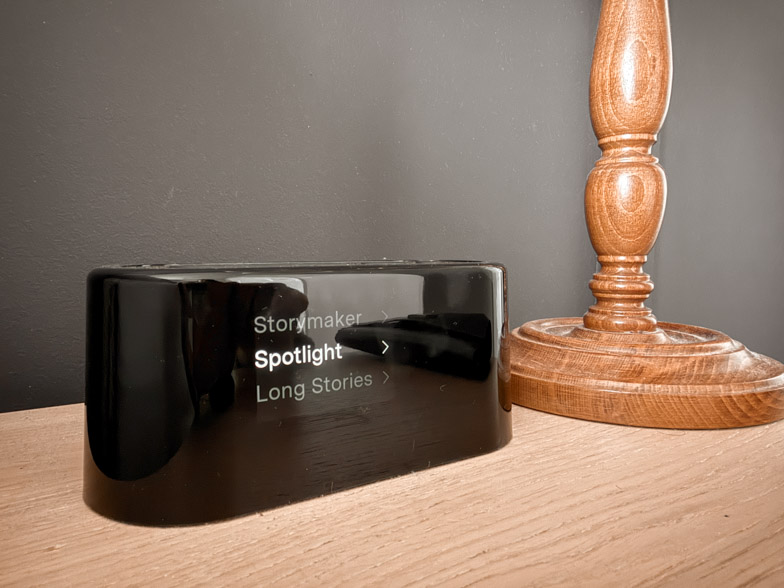
Navigating it is trickier than it should be
Four weeks in and there are still moments of hunting for a setting.
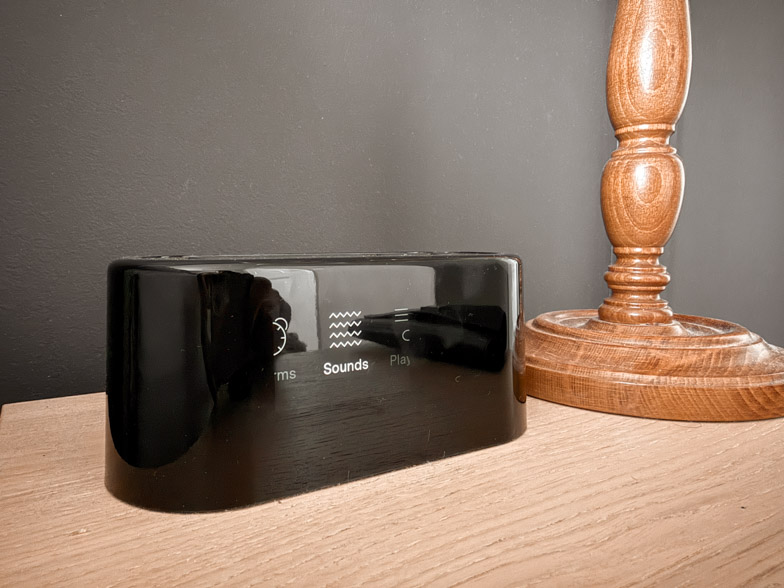
The physical buttons are simple enough once learned. The large oval snooze button toggles the nightlight, or acts as a back button, or snoozes the alarm; hold it down and blackout mode kicks in. The two arrow buttons open and move through the menus, and holding either one jumps straight to volume. The small round button selects things, pauses and plays audio, and held for ten to fifteen seconds powers the clock on or off. To mute all of tomorrow’s alarms, hold the select button for about three seconds and confirm.
Written out like that it sounds straightforward. In practice, the confusion comes from features being split between the app and the device, so you are never entirely sure which one you should be reaching for. Loftie’s own product copy admits the navigation takes some getting used to, which is at least honest.
Two other things worth knowing. Alarm volume and content volume are controlled separately, which is excellent if you sleep next to someone who needs a louder alarm than you do. And you cannot set different wake tones for different alarms, so a weekday alarm and a weekend alarm sound identical. That is a recurring complaint among owners and it does feel like a miss on a device at this price.
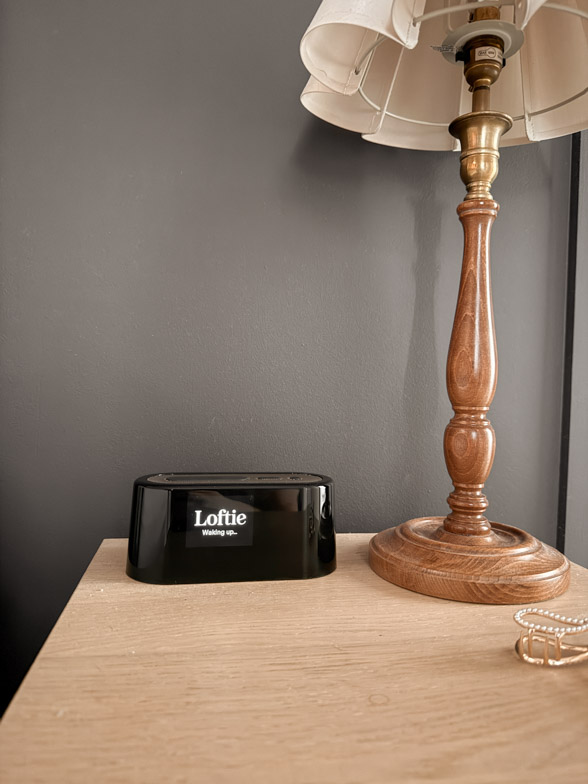
Loftie+: gifted to me, and I still haven’t used it
Loftie gifted me a Loftie+ subscription, and in four weeks it has stubbornly refused to activate.
Under normal circumstances that would be a significant black mark. What is interesting is that it has made almost no difference to how much use the clock gets, which tells you something useful about the product.
Loftie+ is not a sound library upgrade. All the sounds, all the alarms, the nightlight and the blackout mode are free forever. What Loftie+ adds is a set of phone-blocking tools: Rest, a scheduled app blocker built around your sleep and wake times; Drift, which uses Bluetooth to detect when you have entered the bedroom and blocks apps accordingly; a physical NFC Loftie Card you tap to start a focus session; a distraction-free home screen widget; and a browser extension.
Pricing sits at around $9.99 a month, $59.99 a year, or $69.99 for lifetime access, though Loftie is currently bundling it free for life with new clocks.
My honest position: for someone who’ already keeps their phone out of the bedroom’s no longer picking up their phone in bed, Loftie+ solves a problem that no longer exists. Every one of those features requires more phone interaction, more permissions and more setup, which is the opposite of what drew me to the clock. If you struggle with doomscrolling and want structural help, it might be genuinely valuable. For me, it would just be another app.
Loftie’s support team have been contacted about the activation issues, it’s been 5 weeks and they have still not fixed it yet. Their customer support has not been very responsive to be honest.
Loftie vs Lumie: do you need both?
This is the comparison nobody seems to be making, and it is the one that matters most for a British reader.
They are not competitors. They do different jobs.
A Lumie Bodyclock wakes you with light, simulating a sunrise over roughly thirty minutes so your body starts producing cortisol before the alarm sounds. It is a British brand, it is a Class 1 medical device, it can be legitimately marketed for Seasonal Affective Disorder, and it comes with a three-year warranty. Prices start around £99 for the Rise 100 and climb to £229 for the Luxe models.
A Loftie wakes you with sound, and spends the rest of its time as a sound machine and a phone replacement. There is no sunrise light at all. Loftie sells a separate Lamp for that, at roughly £250. Combined, the Loftie alarm + lamp would make the pefect wake up routine, but no one should have to spend £450 on an alarm system.
If you can only buy one, and you are in Scotland or anywhere else where January means getting up in genuine darkness, buy the Lumie. Light wins for winter mornings.
If you already own a wake-up light and your actual problem is your phone, or noise, or a bedside table that looks like a charging station, the Loftie is the better second purchase. Running both is not indulgent duplication. Light handles the waking, sound handles the winding down.
You can read the full Lumie review here.

Loftie vs Hatch Restore
The other comparison people search for. Hatch Restore 3 costs around the same as the Loftie, and adds a proper sunrise and sunset light plus a routine builder.
Two things swing it for British buyers. First, Hatch ships with a US plug, so you will need an adapter. Second, and more significantly, Hatch’s better content sits behind a Hatch+ subscription at around $4.99 a month, and multiple owners report the free tier becoming repetitive within weeks.
Loftie asks for nothing. Everything the clock does out of the box, it keeps doing forever.
If a sunrise light is your priority, honestly, buy a Lumie rather than a Hatch. Same function, British brand, no subscription, longer warranty, no plug adapter.
Frequently asked questions
No. The alarms, all one hundred plus sounds, the nightlight and blackout mode are free permanently. Loftie+ is an optional add-on that provides phone-blocking tools only.
Yes, after initial setup. Switch it to Offline Mode in the settings and everything continues working. You only lose new content downloads and app control.
No. The nightlight is a soft warm glow, not a sunrise simulation. For that you need the separate Loftie Lamp, or a Lumie Bodyclock.
The Get-Up alarm is properly assertive and continues until stopped. Alarm volume is set separately from content volume, so it can be loud without your sound machine being loud.
Yes, for your own music, podcasts or audiobooks. Sound quality is good for its size, though there is no headphone jack, and it is rather quiet.
The verdict after four weeks
The Loftie Clock is a luxury object that happens to be useful, rather than a useful object that happens to be attractive. That ordering matters, and it is worth being honest about it.
If your main problem is winter mornings, this is not your answer. Buy a wake-up light.
If your main problem is that your phone lives on your bedside table, that you lie awake listening to next door’s car doors, or that your bedroom looks like a technology showroom, the Loftie earns its price. It is calmer to wake up to, it looks like something chosen rather than something bought, and after the setup irritation it asks almost nothing of you.
Would it be bought again at full price? Yes. With clearer eyes about the nightlight, and with the app deleted from the phone the moment setup finished.
For more of what has actually earned its place in our bedroom, check out the Panda London Cloud Duvet review.
Leave a Reply
If you like the sort of recommendation that still holds up six months later, leave your email below and I'll write to you on Sunday.
Most Sundays, once the house has gone quiet and it's edging towards nine, a letter goes out. It's the one I'd write to a friend with good taste and not nearly enough time: one thing worth reading, one thing worth buying, and one thing to skip. No noise, no pressure to spend, just the considered version of what I've actually been using, loving, or quietly sending back.